
My findings after the first four months of wearing it
Let's just say this post is about the start. My start using Garmin's smartwatch, the Forerunner 965. I've been running fairly seriously for a good calendar year now. Your social media algorithm obviously adjusts to that. In that algorithm, more and more runfluencers kept popping up. Most of them I saw wearing a certain kind of watch, and more and more videos kept showing up about something called the Garmin life. So I started doing some research into that Garmin smartwatch. At that point I was wearing an Apple Watch and using the Forerunner app. I was getting genuinely, thoroughly annoyed, because with short interval training your current pace matters quite a lot, and my gadgets just couldn't handle that well. The research took quite a while, and I kept going back and forth. In the end I had to choose between the Forerunner 265 and the Forerunner 965.
Forerunner 265 vs the Forerunner 965
I want to say upfront that one watch isn't necessarily better than the other. It's really important to be clear with yourself about what you want from a sports watch, and to weigh up which features matter to you. Pretty quickly the other Garmin series fell off my list, since the Forerunner is genuinely made for runners, I find the Fenix series really too expensive, and I have no plans to do ultra runs where you're also risking your neck in the dark. For that last one, ultra runs, there are actually watches with a built-in flashlight, and they can even charge via solar power. Well, that's just not the kind of die-hard I am.
The Forerunner 55 and 165 fell off pretty quickly too, since as far as I'm concerned, those do what a decent running app or an Apple Watch can already do. On top of that, both are missing certain data features (training readiness, training load) that I actually find so valuable about a Garmin.
Then came the showdown between the 265 and the 965. This information, from Garmin itself, was really helpful. On top of that, I wanted to buy a watch with an eye on the future. The 265 is seen as a watch for average-level running. The 965 is seen as being for fairly serious runners, and also for people who want to do a triathlon. It's not on the cards for now, but at some point I'd definitely want to explore the possibility of a triathlon. After that it mostly came down to a few small differences (battery life), and in the end one thing really tipped the scale for me. The Forerunner 965 has built-in maps and turn-by-turn navigation, perfect for trail runners or runners who like discovering new routes. It's basically like Google Maps, but on your watch. It has really clear maps/navigation.
Setting up the Forerunner 965
To be fair, it doesn't have Apple's ease of use, and it also took a while before I finally got it connected to my phone. To use the watch you need two apps; Garmin Connect and Garmin Connect IQ. You use the first app to pair your watch and eventually also to set up your preferences. The second, Connect IQ, you use to potentially download watch faces and 'apps' (very few) for your watch (Spotify, if you have a music feature).
After pairing, the app walks you through a number of standard, but still important, steps in your settings. Once you've gone through those, you're on your own. Sounds dramatic, yes. But Jesse has recently gotten the Forerunner 165, and he had that same feeling the first few days.
The first week is mostly a lot of clicking through menus to discover what the watch can do. Besides that, the internet is your best friend. There are quite a few in-depth videos on YouTube about most watches. In these, people give compact tips and tricks to make it easier to use.
My first tips
- Genuinely do your research on the features beforehand. I've pretty much played through Garmin's site from start to finish. They actually explain in detail what their data is based on and how certain features work. You can find explanations there for things like VO2 Max, but also how Garmin Coach works or what the maps can do.
- Watch YouTube videos from creators who compare watches or explain certain features. It's really nice, at the start, to visually see exactly which steps you need to take and what things actually look like on that specific watch.
- Turn on the touchscreen feature per activity. The first time, I was completely fumbling around with those buttons, not understanding any of it, because I hadn't turned on the touchscreen per activity yet. Connect > more > Garmin devices > select your device > activities and apps > running > toggle touchscreen on.
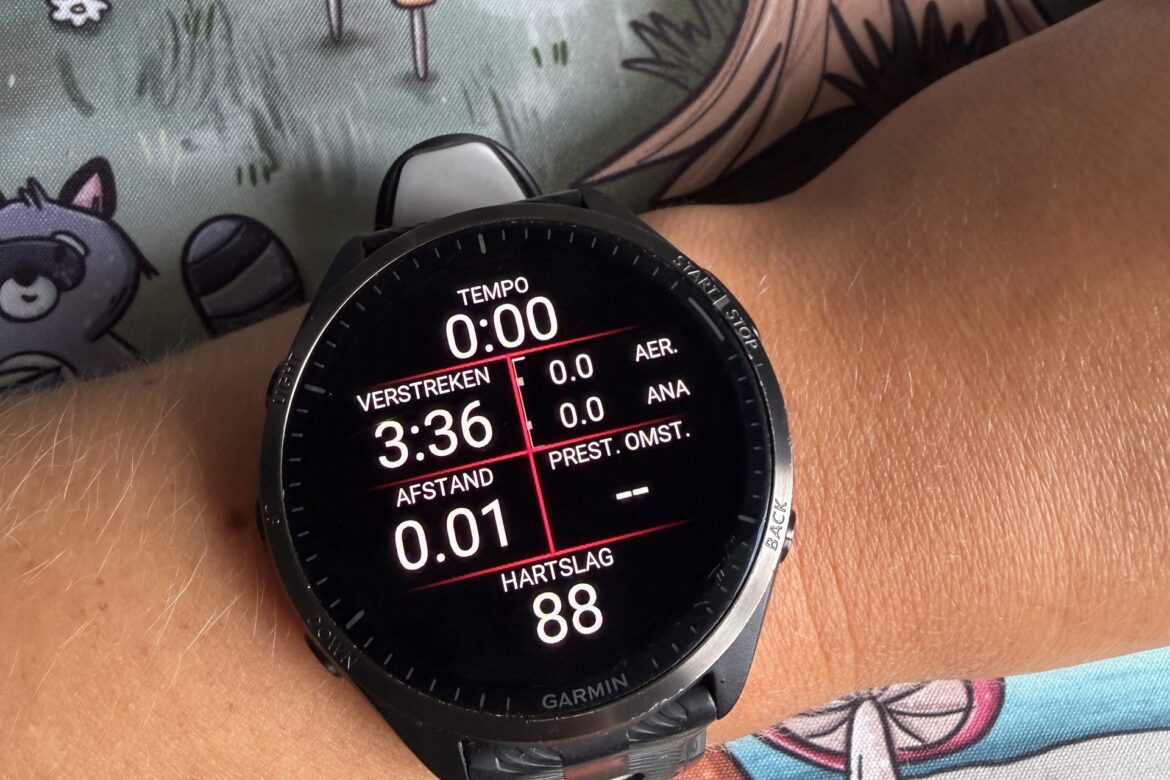
- Customise your data screen per activity to your liking. That's the screen you see while running or, say, swimming. You can select several data screens you like. You can then 'swipe' through these screens during your activity.
- It's also handy to set the watch to the right units. I use kilometers, and it defaults to miles. You can change this in the Connect app under Settings > User Settings > Units of Measure > metric.
- Customise your 'home' page in your Connect app. What do I have under At a Glance? Heart rate, Stress, Training readiness, Sleep score, HRV status, Training status, VO2 max, Endurance score, Focus load and lactate threshold. Under In Focus: Body Battery, Steps, Sleep score, Training readiness, Running and Gym & fitness.
- Be patient the first few weeks. Your Garmin is working really hard to collect data, so it can give you a complete picture. It needs some time to build a good baseline of your body (through heart rate, sleep, VO2 max, etc.). At first it won't feel entirely accurate to your actual ability. But the more you wear it, and the more activities you do, the more accurate the data becomes.
Most viewed data
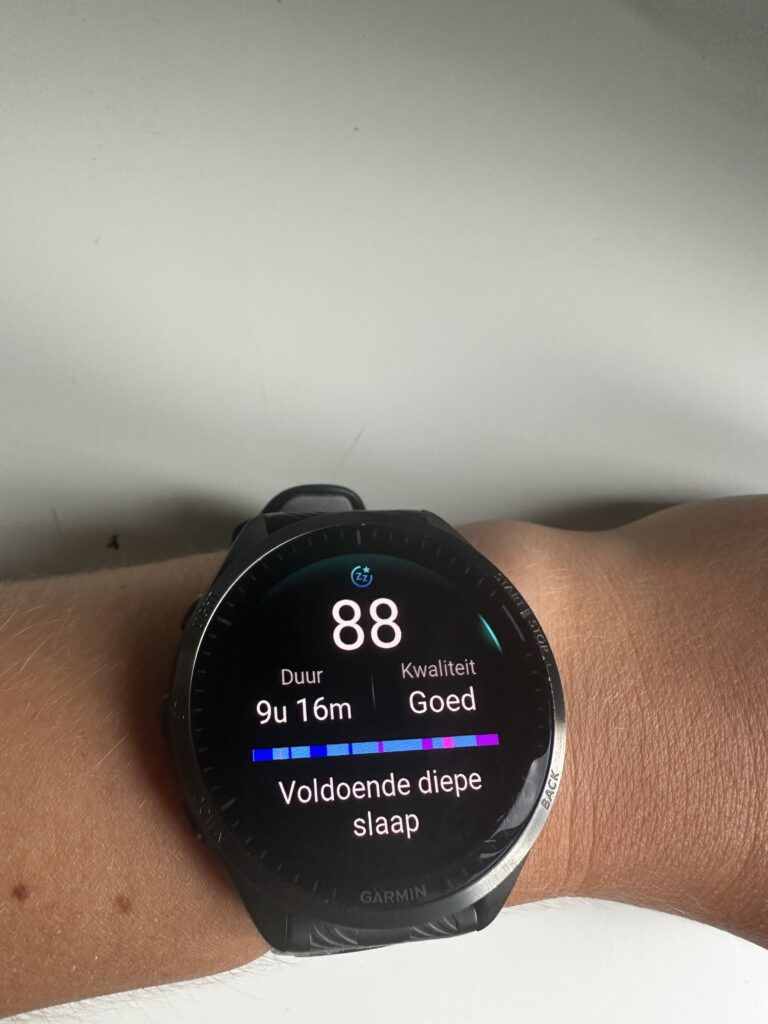
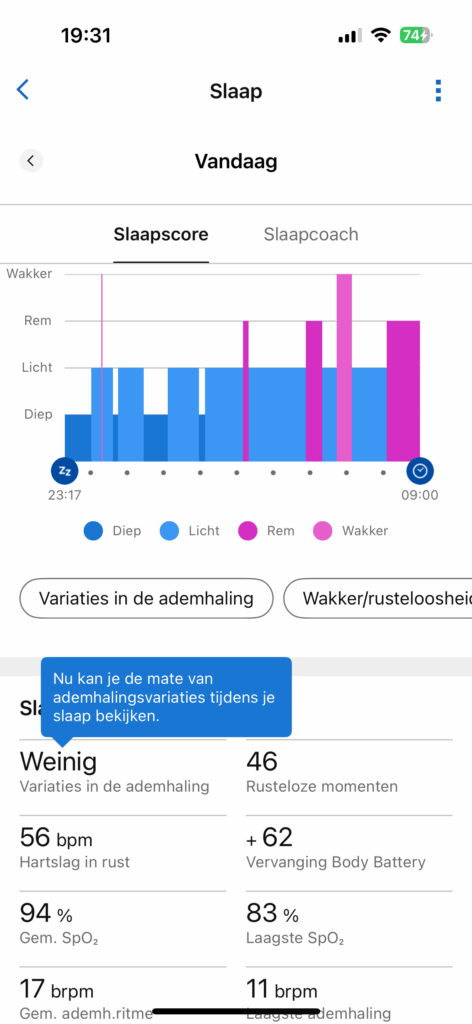
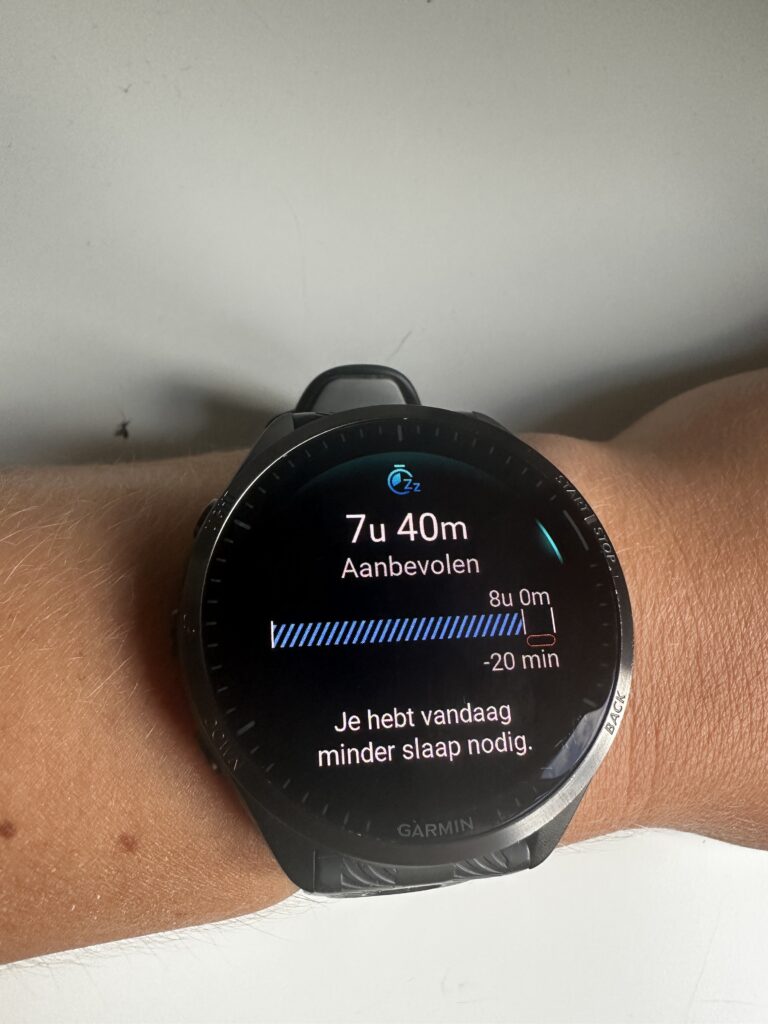
After a few months I can reasonably sum up which data I look at most, and whether I feel it matches my reality. I've been wearing the watch since mid-October. That means there's now about four months' worth of data in it. I wear it 24/7, except for showering and of course charging.
I look at the sleep score a lot, but it's not overly sensitive. I do trust the sleep phases, but if I get up at 6 AM to feed the cats and then fall back asleep... The watch has a hard time with that. Sometimes it does detect it as a nap, but definitely not always.
Alongside sleep, I also keep an eye on my body battery, out of interest. What score do I start the day at, what happens during the day that makes my body battery drop, and where do I land by the end of the day? I've also heard, since I haven't been sick myself yet, that this feature is apparently really 'interesting' to keep an eye on when you're ill.
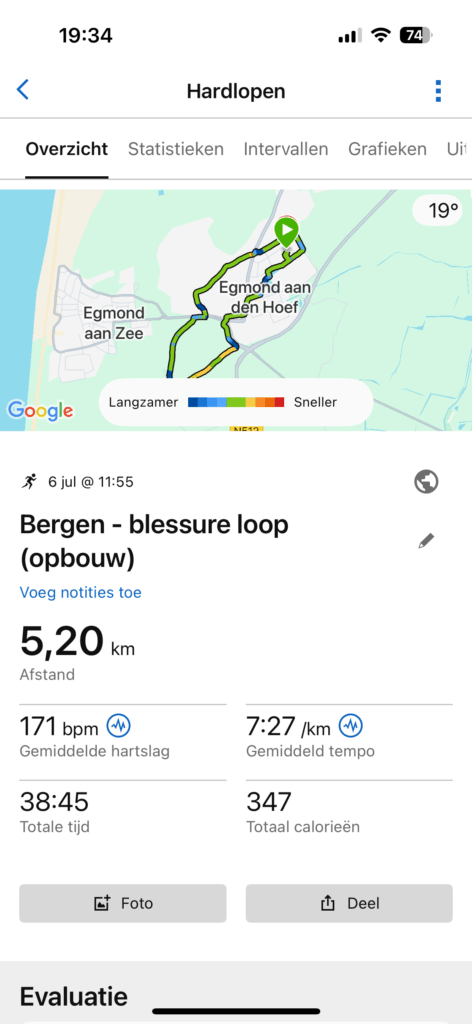
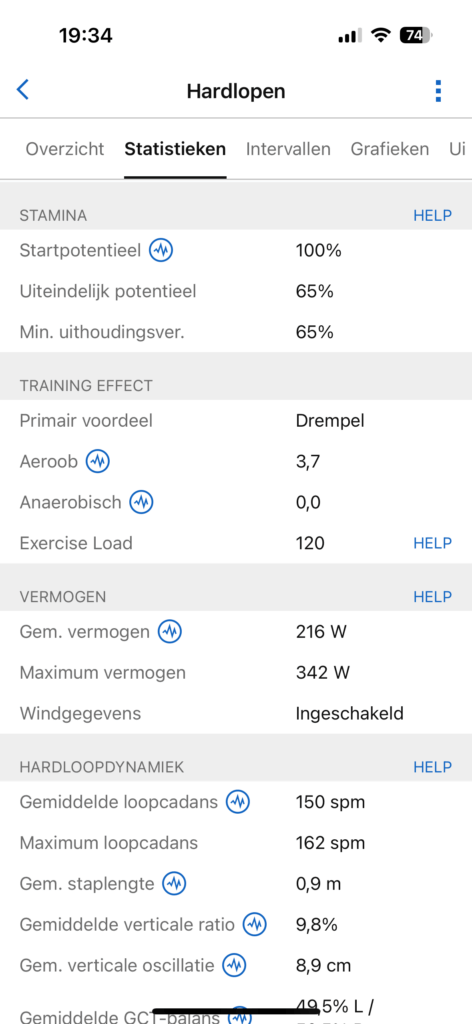
Obviously I wear it while working out. Starting with running. Every session I do, I do a structured training. This is either suggested by Garmin itself, or I run one from my own training schedule. At the end of every activity, you get a summary on your watch. You can also find all this data afterwards under your logged activity. After an activity I mostly look at; my heart rate, my pace, distance, time, stamina, training effect and estimated fluid loss. I mostly check these through the graphs. By the way, since December I've been wearing a separate heart rate monitor on my chest, and it's genuinely a great recommendation!
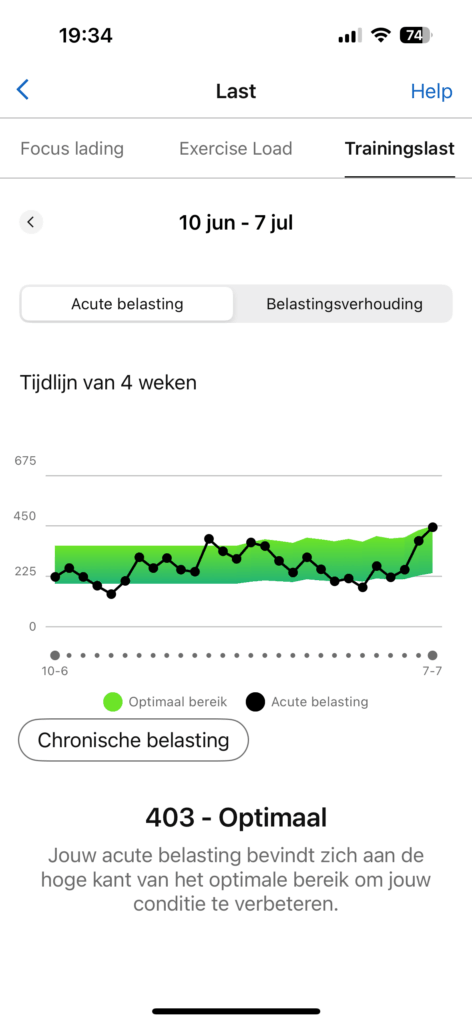
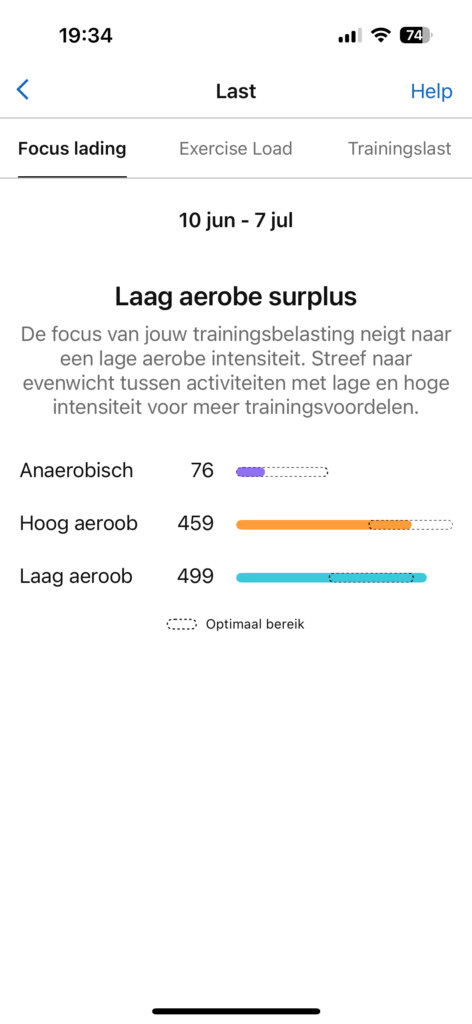
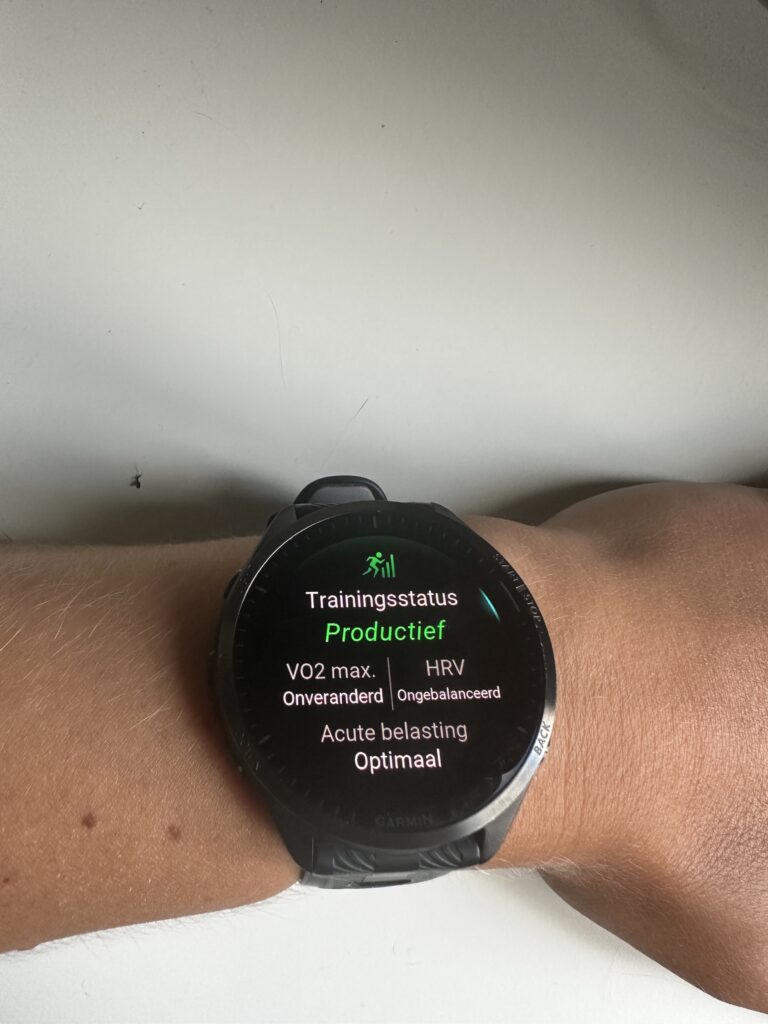
On top of that, in the overall picture, I'm mainly focused on keeping an eye on my training status. Am I actually training effectively? I also look, with a lot of impatience, at my VO2 max, since I really want to increase it. Finally, I also check my focus load, which activities are important to keep my training status productive.
Planning training sessions in the Forerunner 965
This is something I genuinely love doing. I get my training schedule, strength and running sessions, delivered to me. These are neatly planned in a schedule, day by day. I then add these activities to my watch as well. In your Connect app, under the more tab and then Training & Planning, you can choose Workouts, and then create a workout. In my app I can create the following workouts: running, cycling, pool swimming, strength, cardio, HIIT, Yoga, Pilates and Custom.
That's where I create a running workout, for example. You can fit in a lot of factors there; your target goal (time, speed, heart rate, cadence, etc.), any intervals, warm-up, etc. Right now I run based on pace, so for example I'll set an average pace of 7:15 min/km. When I then select this workout, I can also see on my watch whether I'm running within the margin of that speed.
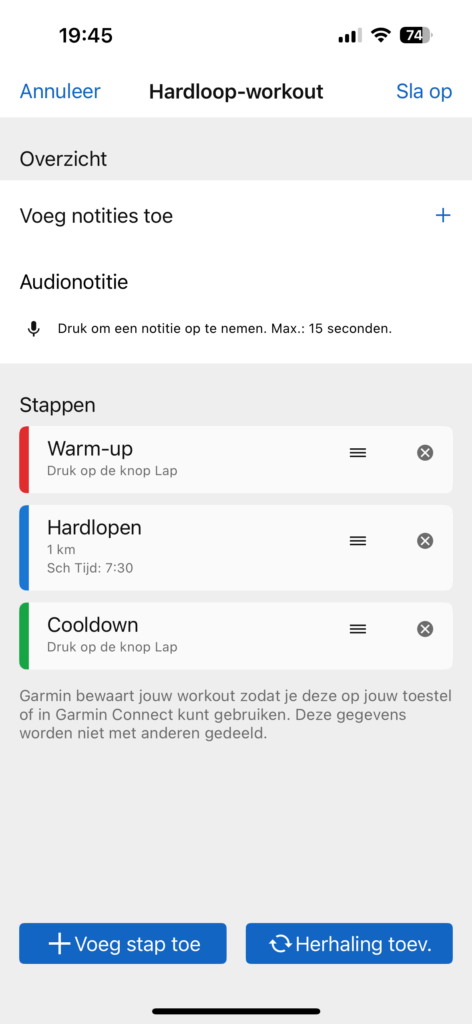
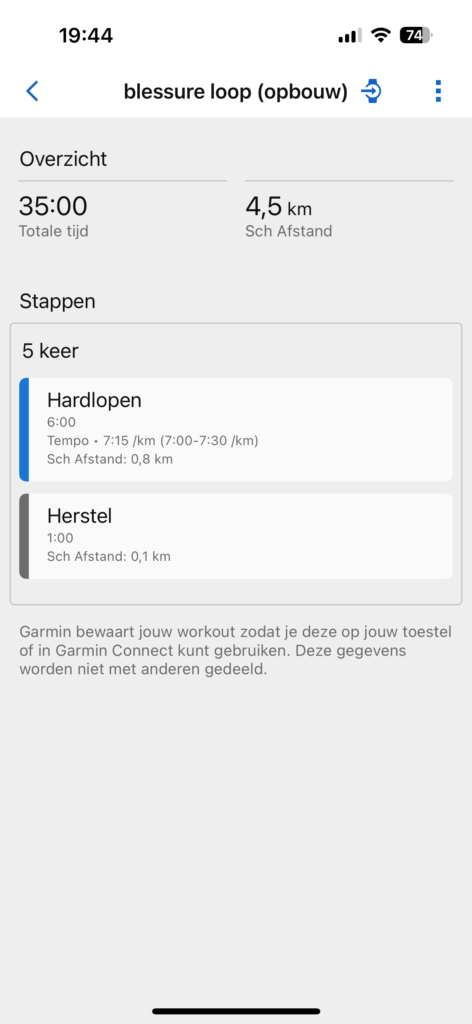
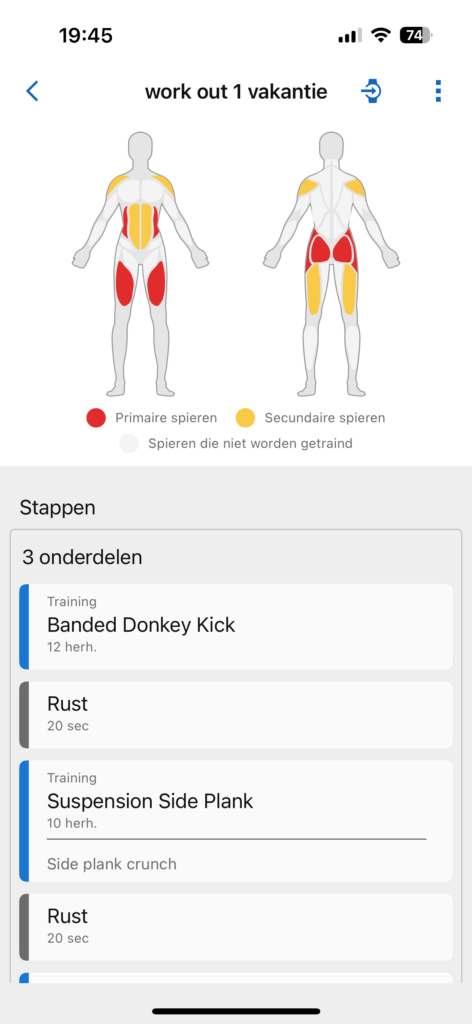
I also add my HIIT and/or strength training sessions to my watch. It does take a bit of getting used to the names Garmin has given some exercises, and figuring out what a plank with rotation is called according to your Garmin. So far I've found every exercise, or something comparable. Your Garmin also keeps a live count of your reps while you're training. If you want to do 10 push-ups, it counts along. Is this flawless? No. But if you're planning rest for a segment, you can quickly adjust the number of reps manually.
What's next
This was really just the tip of the iceberg of everything the Garmin can do and what I like about it. If you've never heard of VO2 max, my story has probably left you with even more questions about it. Fair enough. After this post I'll also write one where I explain certain features in not-too-complicated language. Things like: VO2 max, stamina, training effect (aerobic, etc.), and a few others that really matter when using your Garmin.
Am I happy with my Garmin? Wholeheartedly yes. Do I think the Forerunner 965 is worth it? Yes. It's genuinely brilliant that in an unfamiliar area you can just plan a 'course' on your watch and go running. That way you don't have to spend the whole time staring at your navigation with your phone in your hands!

1 Comment