
I already talked about my reading setup earlier. In that post I share which devices I use to read and why. On top of those devices, you can also take out subscriptions. In this post I'll tell you which reading subscriptions I currently have running and roughly how they work. You don't need a special device for any of the three subscriptions. In principle you can read on your phone and/or your laptop. So you just need at least one device with an internet connection. What does each subscription involve and how does it roughly work? I'll be covering: Kobo Plus, Kindle Unlimited and Marvel Unlimited.
Kobo Plus
You take out a Kobo Plus subscription through Bol.com. Payments then also run through Bol. You can take out two types of subscriptions: the Kobo Plus reading subscription and the Kobo Plus reading & listening subscription. The difference is pretty self-explanatory, I think. With the first subscription you only have access to e-books, but with the second you have access to all e-books and all audiobooks. I have the Kobo Plus reading subscription for €11.99 a month. The other subscription is €14.99. So it's up to you whether that extra 3 euros for access to all the audiobooks is worth it.
Do keep in mind that the word 'all' above, and used by Bol, is a bit loosely applied. You're actually limited in what's included 'for free'. Definitely not every book available on Bol or through Rakuten Kobo itself is included in the Kobo Plus subscription. My advice is to really do your research in advance into the range of books available within your preferred genre. Is there enough available within the Kobo Plus subscription? You can apply this rough rule of thumb: do you read two books via Kobo Plus a month? Then you've already earned back your subscription cost.
Can't see the library for the books
If you're logged into Bol.com, you can pretty easily search for books on your laptop using the search function. You click on the book and check whether it shows the button 'read with Kobo Plus'. Because so many other book sellers now also sell through Bol.com, it isn't always easy to see which version of your desired title is available within Kobo Plus. Solid tip: go straight to the e-book provider itself, Rakuten Kobo. Searching is a lot easier through this site. There's a really prominent category there: Kobo Plus. If you click on that and keep browsing, you'll only come across books you can read within your subscription. In the first video I'll show you this on a phone screen. Just make sure you're logged in first! You can simply do that with your Bol.com details.
Of course you can also search directly for whether a title is available. On the homepage you then search for the title of the book you'd like to read, like A Court of Thorns and Roses. Right there in the search result it'll clearly say: Read with Kobo Plus. When you click on the book, you immediately see the available options. For me it says 'purchased', because I was too impatient to wait until the book was included in the subscription. Another solid tip right away: some books are already available in your subscription at release. Other books sometimes get added to the subscription after a few months, and some titles never.
My last tip for Kobo Plus: searching for specific books works more easily than browsing by genre. Also, after a search result, you can click on the author to go straight to all of that author's books. You can also click on the series name to go straight to the available books in that series! I do all of this through the Kobo site itself.
My Kobo Plus recommendations
The books I read via Kobo Plus are mostly Dutch, with the occasional English one thrown in. Below are a few recommendations available on Kobo Plus reading!
- A Court of Thorns and Roses by Sarah J. Maas. The first book in the available five-book series. Immerse yourself in the world of author Sarah J. Maas, which is packed with magic!
- Gild by Raven Kennedy. Also the first book of a series. What's it like to live in a golden cage?
- The Last Wish by Andrzej Sapkowski, the first book in The Witcher series. This is classic fantasy that's also been turned into a series by Netflix in the meantime.
- Billy Summers by Stephen King. King is of course a master of his genre, suspense, adventure and thrillers. Follow a hitman who wants to quit his job.
- Blindsighted by Karin Slaughter. Get to know the very first book Slaughter ever wrote and dive into the world of detective work and an enormous amount of tension.
Kindle Unlimited
Let me start by saying straight away that Kindle Unlimited is not exactly the most user-friendly platform for a Dutch person. Do you live in the USA? Then it's a genuine goldmine of books. In the EU it's a bit different, and you're dependent on the German Amazon site. Why is that? Very simple, publishers and authors decide for themselves in which regions their work can be offered. The biggest selection within KU (Kindle Unlimited) is through the USA, but as Europeans we have to make do with the selection through Germany. Be very much aware that a subscription through the German Amazon is mostly a goldmine for English-language books. Everything I read via KU is therefore in English. If you want a subscription through the German Amazon, it's important to enter an existing German address when creating an account...
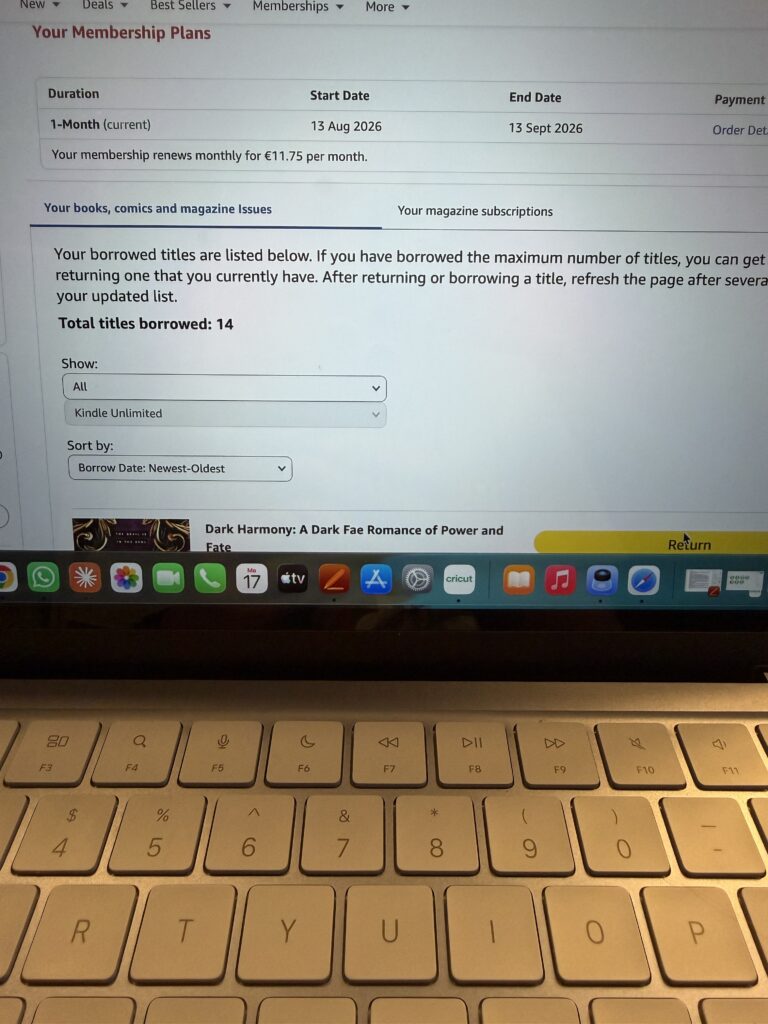
Once you have an account, you can take out a KU subscription for €11.75 a month. For that price you're not allowed to borrow unlimited books. You're allowed to have a maximum of 16 books in your library at once. This means that once you've finished a book, you return it digitally again. That way you can then add another book to your library. Once you're used to it, it's not a disaster. It just means you can't stuff your entire Kindle library full while you're happily browsing through the books xD
Lost on Kindle Unlimited
This platform isn't necessarily the easiest one to just sit and scroll through the available books on. So what are my tips?
- Stay logged into Amazon.de on your devices, save yourself the hassle.
- At the top of the homepage next to your account button, set the language to English.
- Make a little list of titles you'd like to read. You can use AI or just do some research online. Then search really specifically on the site with the (English) title.
- The more you've searched, the more you've read, the better Amazon's recommendations get. Browsing then slowly gets a lot easier.
- Follow authors you like. You'll then get a notification whenever that author releases something new.
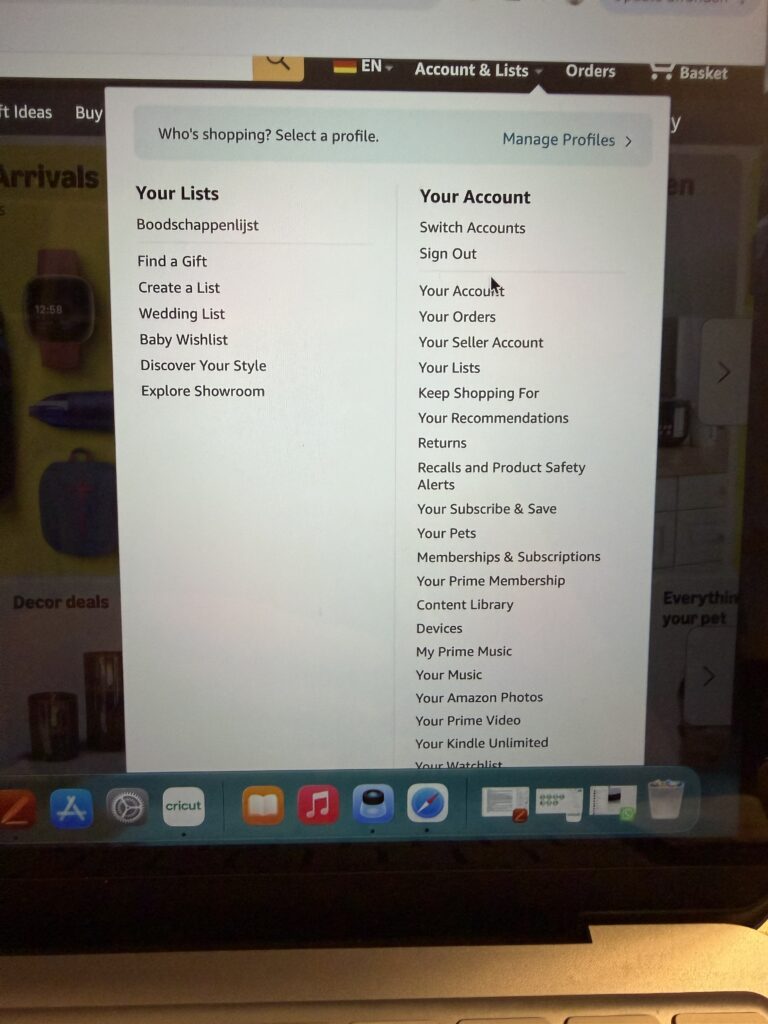
- Want a digital overview of your library? Click on your account, go to Your Kindle Unlimited and see your borrowed/returned books there.
- When you're in your KU library, you'll see two tabs. Your books, etc. and Magazines. So besides those 16 books, you can also borrow magazines!

My Kindle Unlimited recommendations
As I said before, KU is mainly a goldmine for English-language books. So the tips I'm giving here are for books written in English. I'll try my best to not make this list too long...
- Between Tides & Thunder by Leena Kazak. Not in the mood for a whole series? Then this standalone is perfect. A genuine enemies-to-lovers romance. Read about a princess who's married off to a rival kingdom.
- The Serpent and the Wings of Night by Carissa Broadbent. Dive into the first part of the Crowns of Nyaia. Which will eventually consist of three duologies. Step into a world of different vampires, romances and magical conflicts.
- Blood & Steel by Helen Scheuerer. Also the start of a series, but one of the best series I've read via KU so far. Do you really need to know more? Sadly there are only four parts.
- Shall I mention the series I got a Kindle for in the first place? I saw SO much of it on my socials. It's the Zodiac Academy series, with the first book being The Awakening by Caroline Peckham & Susanne Valenti. A nine-book series about two sisters who end up in a supernatural world where they have to survive school and other intrigues.
Marvel Unlimited
For me this is a subscription I 100% underuse. That has nothing to do with the app or the content in the app. It genuinely comes down to me. Let's start with, what kind of subscription is this exactly? Marvel Unlimited is a subscription to a library full of comic books (comics). You've probably already guessed, they're comics published by Marvel. Marvel has been part of Disney since 2009, so for instance the Star Wars comics are also available to read there. I treated myself to it in December, because it's a good way to dive into the lore of Star Wars. A lot of what's in the comics is actually considered canon.
A monthly subscription costs around 10 euros a month, but you also have the option to pay for a whole year at once. That works out to €5.75 a month.


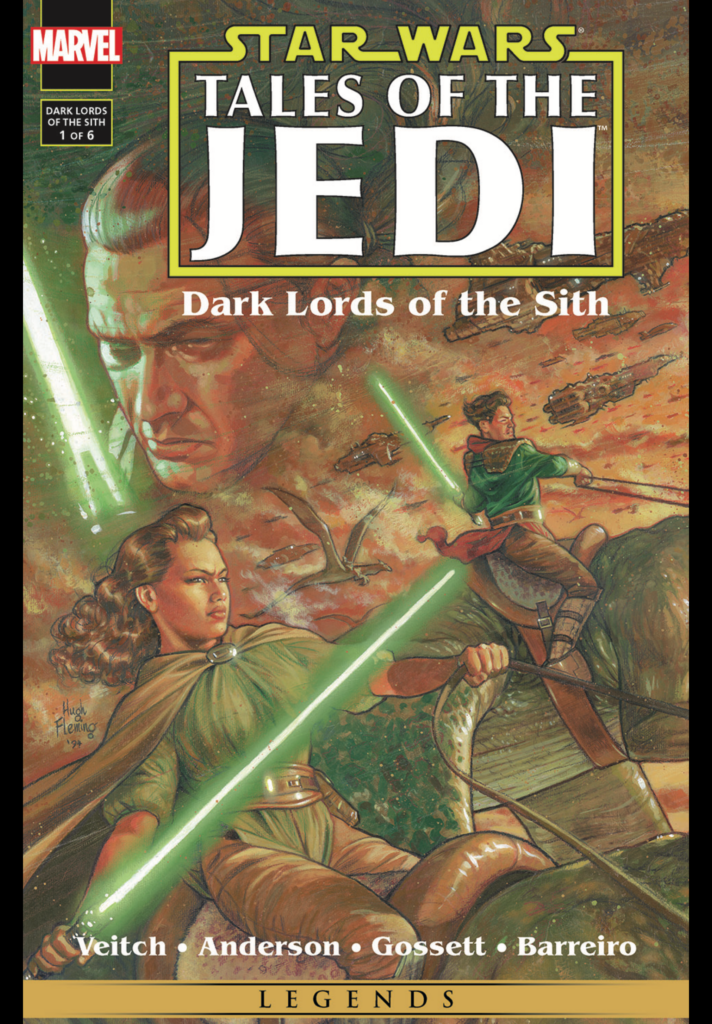
Unfortunately I can't write as extensively about this as I can about the two topics above. That's down to how much I use it, but I can still be very clear about what's available on Marvel Unlimited. Do you love comics, Marvel and Star Wars? Is that three yeses in a row? Then a subscription is definitely worth it. When I really sit down for it, I'll happily read five comics in a row!
That said, Marvel Unlimited could also stand to improve the searchability of its library. It's not the best platform to just casually browse through their catalogue. You can get some help from a ready-made reading guide though. You can also browse by series, character or issue. Except under the 'series' category, at first glance only four issues fall under one series. So you'll still be busy scrolling for a while!
Readers, get reading!
So I think I've given you enough to go on to know where to look for your favourite reading material. One small addition. I'm also gloomily on the hunt for a subscription for reading Manga. That turns out to still be quite a challenge in Europe, in the Netherlands. I did recently find out that Kobo Plus actually has some available. Through KU, nothing is included in the subscription, as far as I can find right now. Manga is possibly available to buy as a Kindle edition though, and then you buy it for your digital library.
So for now, readers, get reading!

1 Comment